Your Cart (0)

V80-V280, & V2100-V4100 - Resetting Toner Dispense Fault Codes
V80/V180/V280, V2100/V3100/V4100 - Resetting Toner Dispense Fault Codes
For Xerox® models: (Versant®) V80, V180, V280, V2100, V3100, V4100 Fixing Toner Dispense Fault Codes / Errors
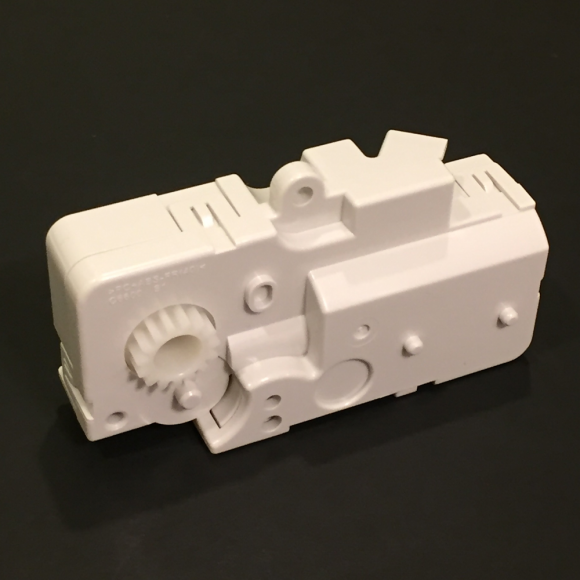
First, make sure you address whatever caused the lack of toner dispensing in the appropriate color. It could be a truly empty toner cartridge, or it could be a problem with the Toner Dispense Assembly for the appropriate color. V80TDAB - Toner Dispense Assembly - Black or just the black dispense motor: V80TDMB
V80TDAC - Toner Dispense Assembly - Cyan V80TDAM - Toner Dispense Assembly - Magenta V80TDAY - Toner Dispense Assembly - Yellow Toner Dispense codes can also result if the augers inside the Developer Unit are not turning properly (often this is an issue with the developer unit). Check the gears on the rear of the DV Unit (V80DGK-P). Sometimes the gears get worn out and fail to turn the stirring augers inside the unit. In that case, you can replace the gears or the developer unit as a whole.
Once you solve the problem and replace the developer if needed, you will need to reset the Fault Code from diagnostics. I recommend leaving that to a trained technician. Below is a list of the fault codes for each color and the associated NVM Read/Write code that you would need to clear back to "0" to clear the code and get the machine to try to tone up again:
TONER DISPENSE FAULT CODES AND NVM Chain-Link codes to clear back to 0: Black Fault Code: 093-317 (NVM Code = 761-265) |
| Information Reference |
|---|
Author: Britt Horvat This is one of our own Partsdrop Write-ups. We hope you find it helpful! |